



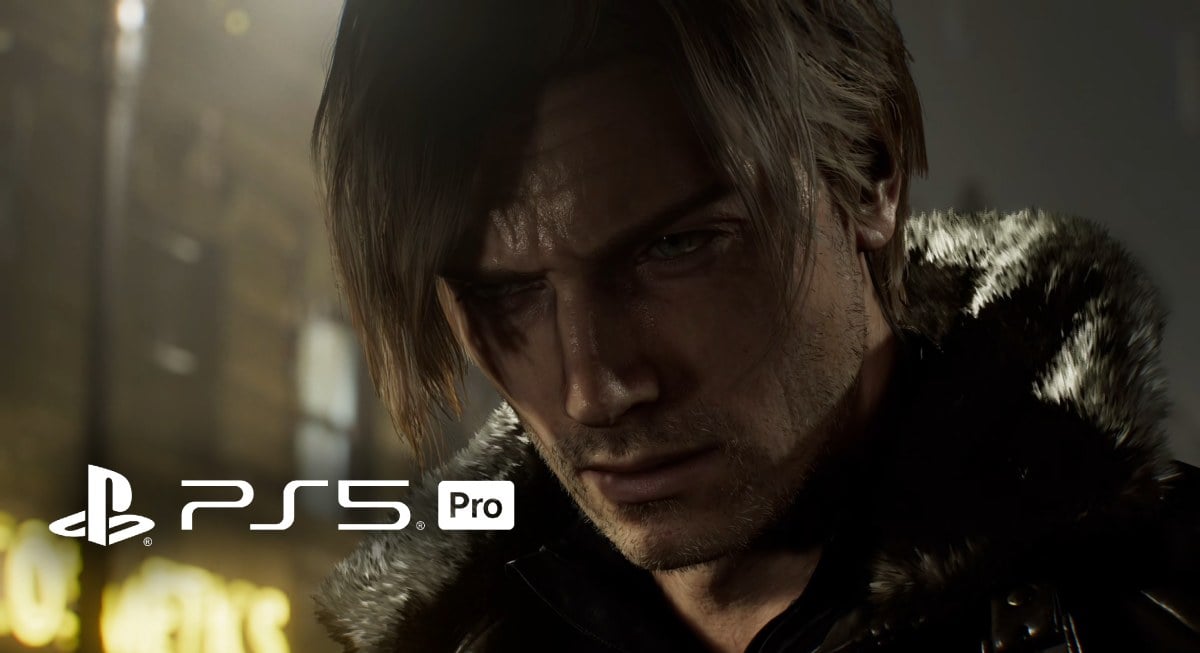
Resident Evil Requiem is one of the most interesting PS5 Pro showcases so far because it is the first game confirmed to ship with Sony’s upgraded PSSR upscaling tech, aiming to keep image quality high while still targeting smooth frame rates. That matters in a horror game where fine detail, lighting, and clarity can change how readable a scene feels in motion.
Updated PSSR on PS5 Pro
Sony describes PSSR as an AI upscaling library that analyzes the image as it reconstructs a higher resolution output, and it says Resident Evil Requiem is the first title to use the more advanced version of that tech.
According to Sony’s PS5 lead architect Mark Cerny, the updated PSSR uses a different approach to both the neural network and the overall algorithm. Sony also ties the upgraded model to its Project Amethyst partnership with AMD, noting that the underlying tech stems from that collaboration and references AMD’s FSR 4 as part of the foundation, followed by additional refinement for PS5 Pro.
Capcom says the upgraded PSSR helps it preserve intricate details that are traditionally difficult to upscale, calling out things like individual hair strands and subtle texture detail as examples of what benefits.
PS5 Pro Graphics Modes in Resident Evil Requiem: What Each Mode Prioritizes
On PS5 Pro, coverage of Digital Foundry’s analysis notes that Requiem’s main 60fps mode includes ray tracing and uses a high-quality upscaling solution that can present close to native 4K under scrutiny while staying near 60fps.
There is also a 120fps option on PS5 Pro. Reporting based on Digital Foundry’s findings says this mode disables ray tracing and drops the fancy upscaling approach used in the main mode, but it offers a smoother alternative, especially when paired with VRR.
Which Mode Should You Use on PS5 Pro
If you want the best overall presentation, the PS5 Pro 60fps ray tracing mode is the one designed to show off Requiem’s upgraded PSSR benefits, with sharper reconstruction and stronger scene readability at 4K output.
If you care more about responsiveness and motion clarity, the 120fps option is the better fit, but you are trading away ray tracing and some of the image reconstruction advantages that make the Pro version stand out.
Best PS5 Pro Display Settings for Resident Evil Requiem
Start by making sure your PS5 Pro is outputting 4K to your display, since the upgraded PSSR targets a convincing 4K presentation in the main mode, and you want the console and TV to stay aligned on resolution and refresh behavior.
If your TV or monitor supports VRR, enable VRR at the system level, then use a compatible display mode on your screen. The 120fps option is specifically called out as a good match with VRR, since it helps smooth out performance swings and keeps motion feeling stable.
For HDR, run the PS5 HDR calibration steps and keep your TV’s tone mapping consistent. Horror games often crush shadow detail when HDR is misconfigured, so a proper calibration helps you retain dark-room visibility without washing out highlights.
For motion clarity, consider lowering or disabling motion blur if you are playing in the 120fps option, since higher refresh already improves perceived smoothness, and heavy blur can reduce fine detail in fast camera movement. If you are playing in the 60fps ray tracing mode, a small amount of motion blur can sometimes help hide minor reconstruction shimmer, but it comes down to preference and display response.
The PS5 Pro “Enhance PSSR Image Quality” Toggle
Sony says a system software update arriving in March will add an “Enhance PSSR Image Quality” option in PS5 Pro settings, and enabling it will let you experience the new PSSR with any PS5 Pro game that already supports PSSR. In other words, Requiem ships as the first title using the upgraded PSSR, and then PS5 Pro owners will get a wider rollout through that system-level option.
If you bought a PS5 Pro for premium image quality, Resident Evil Requiem’s primary 60fps ray tracing mode is the one built to show it off, powered by Sony’s upgraded PSSR and tuned for high clarity. If you want maximum smoothness, the 120fps option is the play, ideally with VRR turned on.